Ensure a smooth and secure passport application process by downloading the official Indian Passport Office Android App. This authentic Passport Seva App, provided directly by the Government of India, offers secure access to essential services. It is crucial to use only the original application, as many copycat apps exist designed to mislead users.
Download the Official Passport Seva Mobile App
The Ministry of External Affairs, Government of India, has developed the official mobile application for passport services. This app streamlines your interaction with Passport Seva. To ensure you are downloading the correct app, always use the link provided below:
Download Passport Seva App from Google Play Store
Using the official app guarantees the security of your personal data and the accuracy of information.
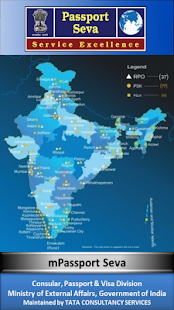


Key Features of the Official App
The official Passport Seva mobile app offers a range of convenient features. These help you manage your passport-related tasks effectively. You can easily access services directly from your Android device. Key functionalities include:
- Application Status Tracking: Check the real-time status of your passport application. This helps you stay informed about your application’s progress.
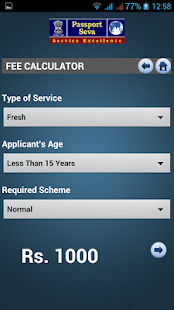
- Fee Calculation: Calculate the fees for various passport services. Understand the exact cost before you apply. For detailed document requirements, you can also consult the official Passport Seva Document Advisor.
- Appointment Availability: Find available appointment slots at Passport Seva Kendras (PSKs) or Post Office Passport Seva Kendras (POPSKs). This makes scheduling your visit much simpler.
- General Information: Access general information regarding passport types, application procedures, and required documents. For specific information on documents needed for a fresh passport, visit our guide.
- Locate PSK/POPSK: Find the nearest Passport Seva Kendra or Post Office Passport Seva Kendra.
Beware of Unofficial and Fraudulent Apps
Many unofficial mobile applications mimic the look and feel of the official Passport Seva App. These “copycat” apps can trick you into downloading them. Such fraudulent applications pose a significant risk. They may collect your personal information or charge unnecessary fees. Always verify the app developer as “Ministry of External Affairs” on the Google Play Store. The official app will always be free to download and use for information services. Ensure you are protecting your personal data by using only the authentic source.
Access Passport Services through UMANG App
In addition to its standalone application, passport services are also accessible through the UMANG (Unified Mobile Application for New-age Governance) app. UMANG is another official government initiative. It provides a single platform for various government services. You can find the Passport Seva option within the UMANG app on the Play Store. This offers an alternative, verified channel for interacting with passport services, adding another layer of convenience for users.
Always ensure you use official channels for all your passport-related needs. The official Indian Passport Office Android App provides a secure and convenient way to access essential services. By downloading from the legitimate Google Play Store link and verifying the developer, you can protect yourself from fraudulent applications. For further guidance on how to apply for your passport or check your application status, refer to our comprehensive guides.